How to Get Tracker
Step-by-step guide to set up your TFT tracker
Process Summary
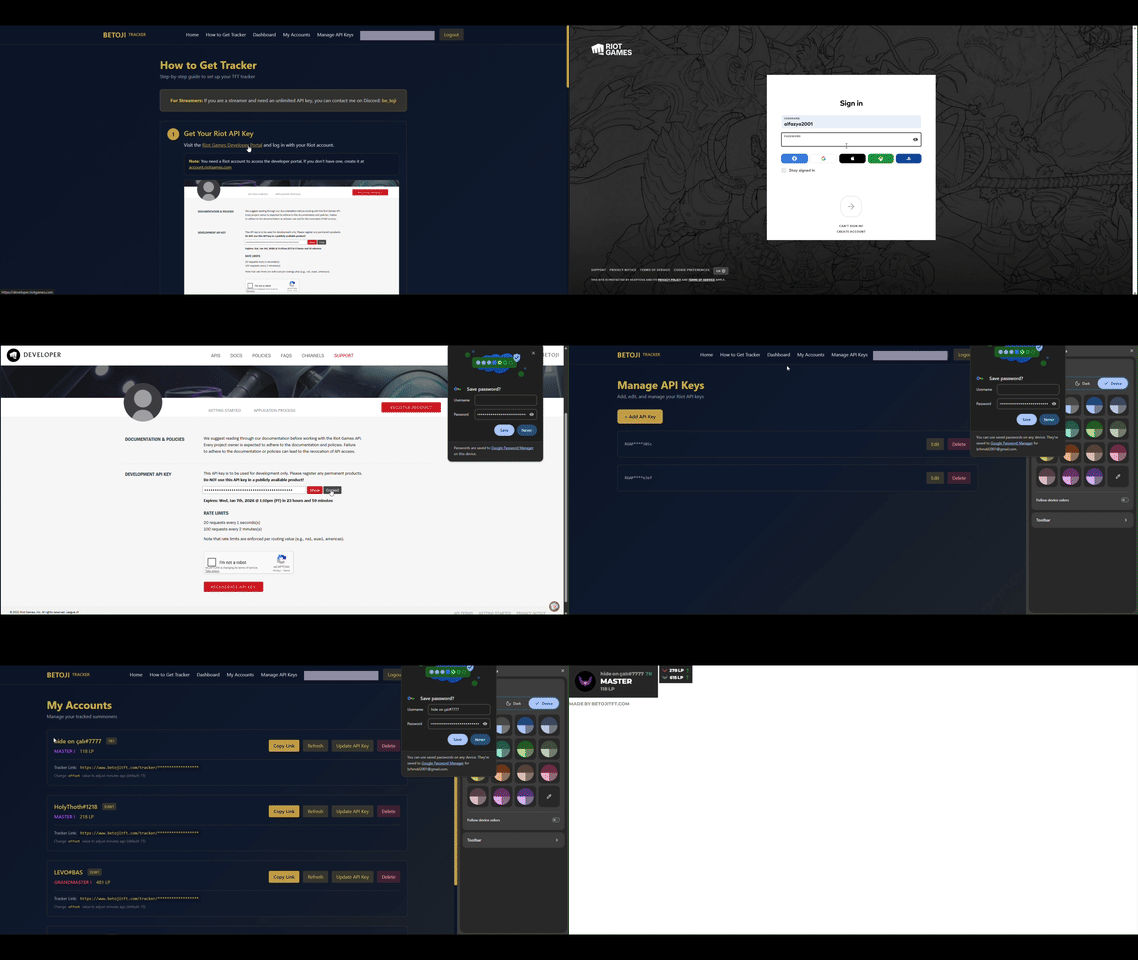
Quick overview of the entire tracker setup process
For Streamers: If you are a streamer and need an unlimited API key, you can contact me on Discord: be_toji
Get Your Riot API Key
Visit the Riot Games Developer Portal and log in with your Riot account.
Note: You need a Riot account to access the developer portal. If you don't have one, create it at account.riotgames.com
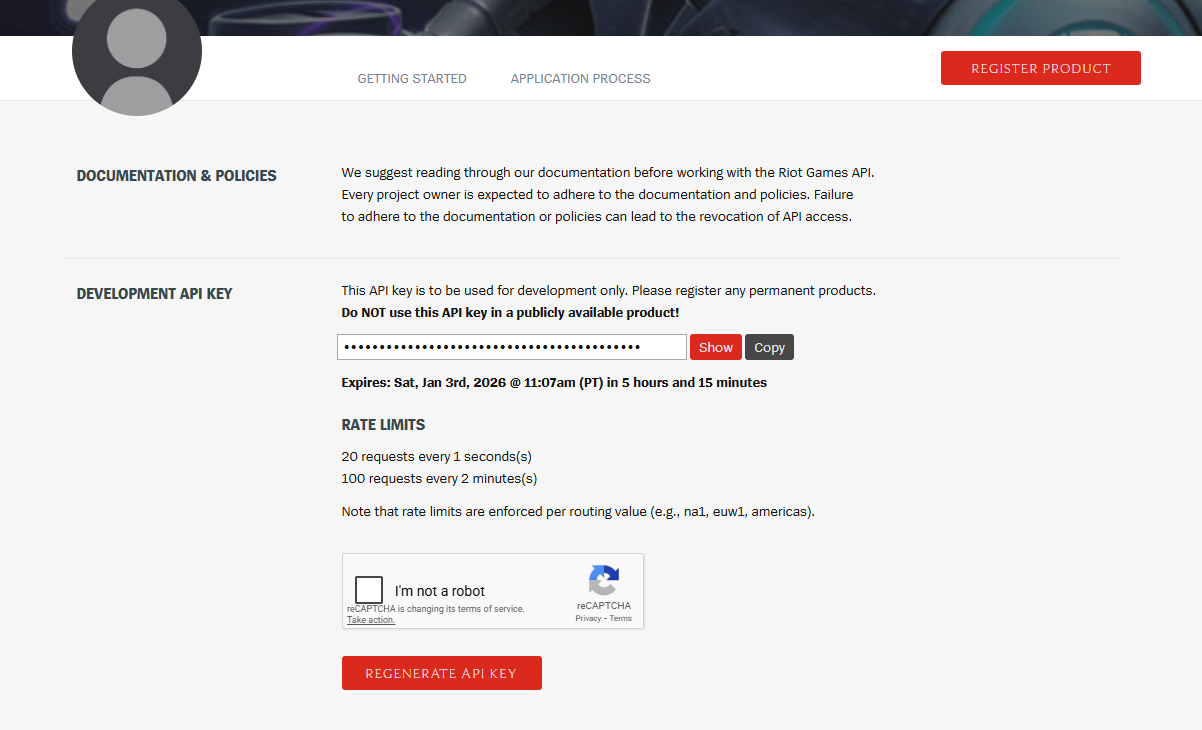
Riot Developer Portal - Your API key dashboard
Create Your API Key
Once logged in, you can create a Development API Key. This key expires in 24 hours.
API Key Types:
- •Development Key (1 Day): Expires in 24 hours. Perfect for testing and personal use. You'll need to regenerate it daily.
- •Product Key (Unlimited): Apply with your own product to get unlimited API key with rate limits: 20 requests/second and 100 requests/2 minutes per routing value.
- •Product Key (Unlimited): Another type of unlimited key for registered products.
Save Your API Key
Copy your API key from the Riot Developer Portal and save it in our Manage API Keys page.
You can save multiple API keys and select which one to use when adding a new summoner. This is especially useful if you have both development and product keys.
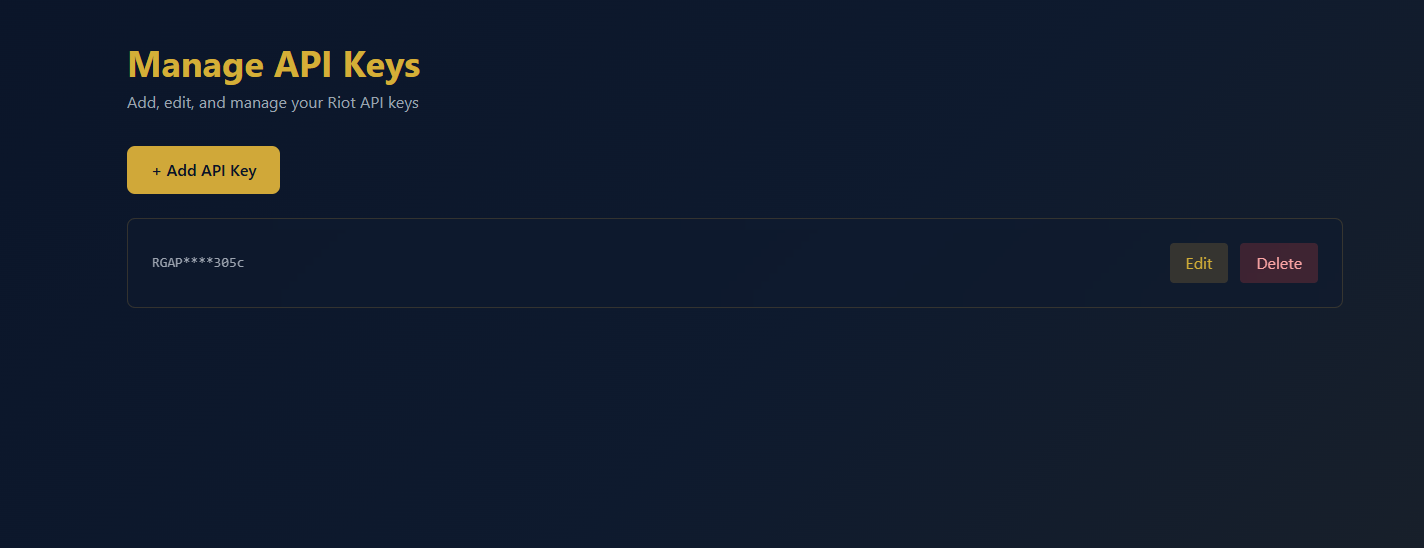
Manage API Keys page - Save and manage your Riot API keys
Add Your Summoner
Go to the Home page and use the search panel to add your summoner:
- Select your region (e.g., EUW1, NA1, KR)
- Enter your Riot ID in the format: Name#Tagline
- Select a saved API key from the dropdown or enter a new one manually
- Click "Generate Link"
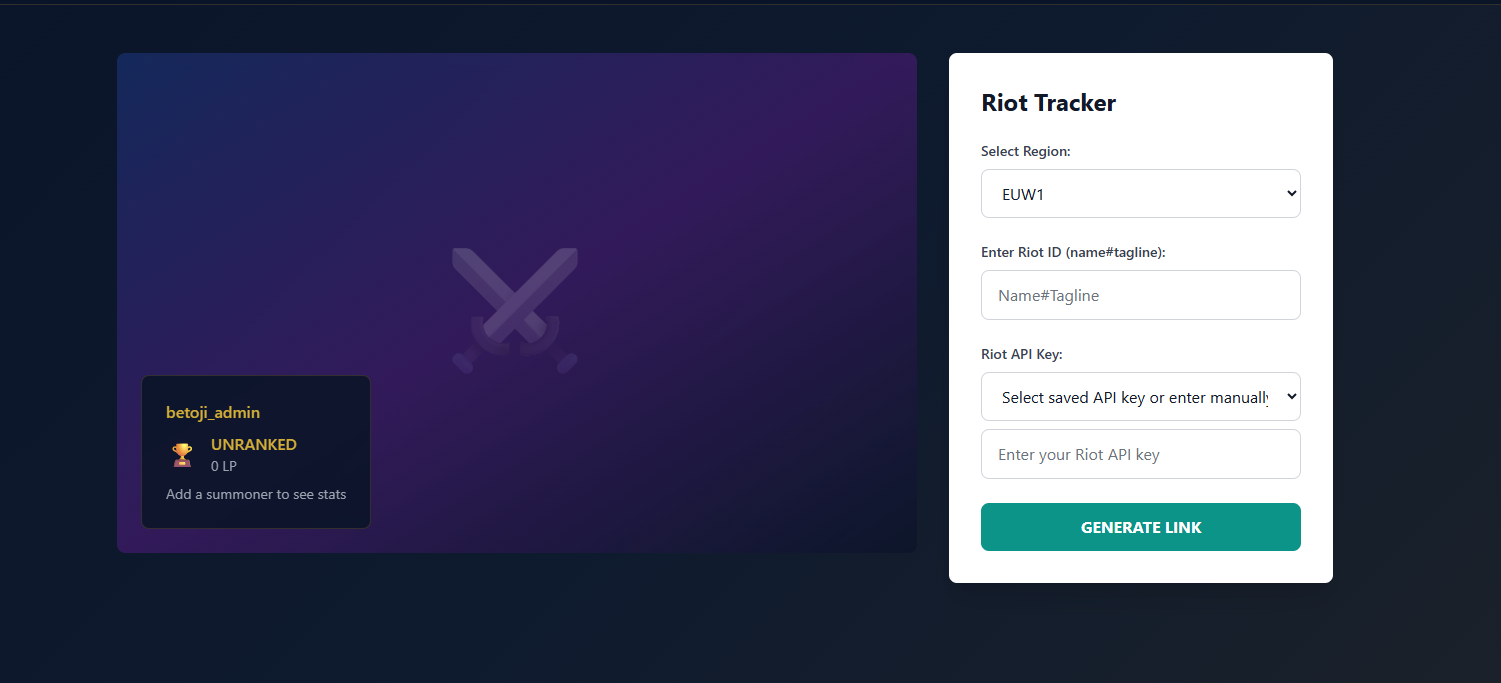
Search Panel - Add your summoner and generate tracker link
View Your Accounts
After generating a link, your summoner will appear in My Accounts. From there you can:
- Copy your tracker link
- Refresh summoner data
- Update your API key (important for 1-day keys!)
- Delete the account
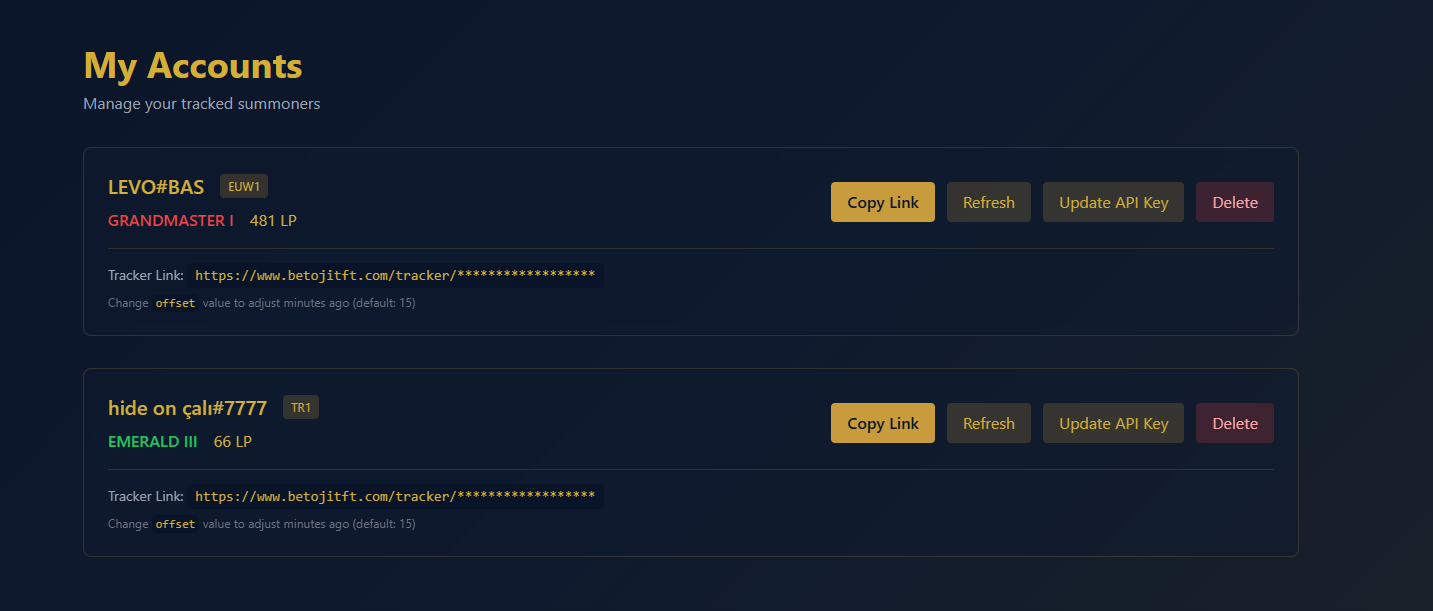
My Accounts page - View and manage all your tracked summoners
⚠️ Important: Updating 1-Day API Keys
If you're using a 1-day development API key, you'll need to update it every 24 hours:
- Get a new API key from the Riot Developer Portal
- Go to My Accounts
- Click "Update API Key" on the summoner you want to update
- Enter your new API key and save
Tip: Consider applying for a product API key if you plan to use the tracker long-term. Product keys don't expire and have better rate limits!